

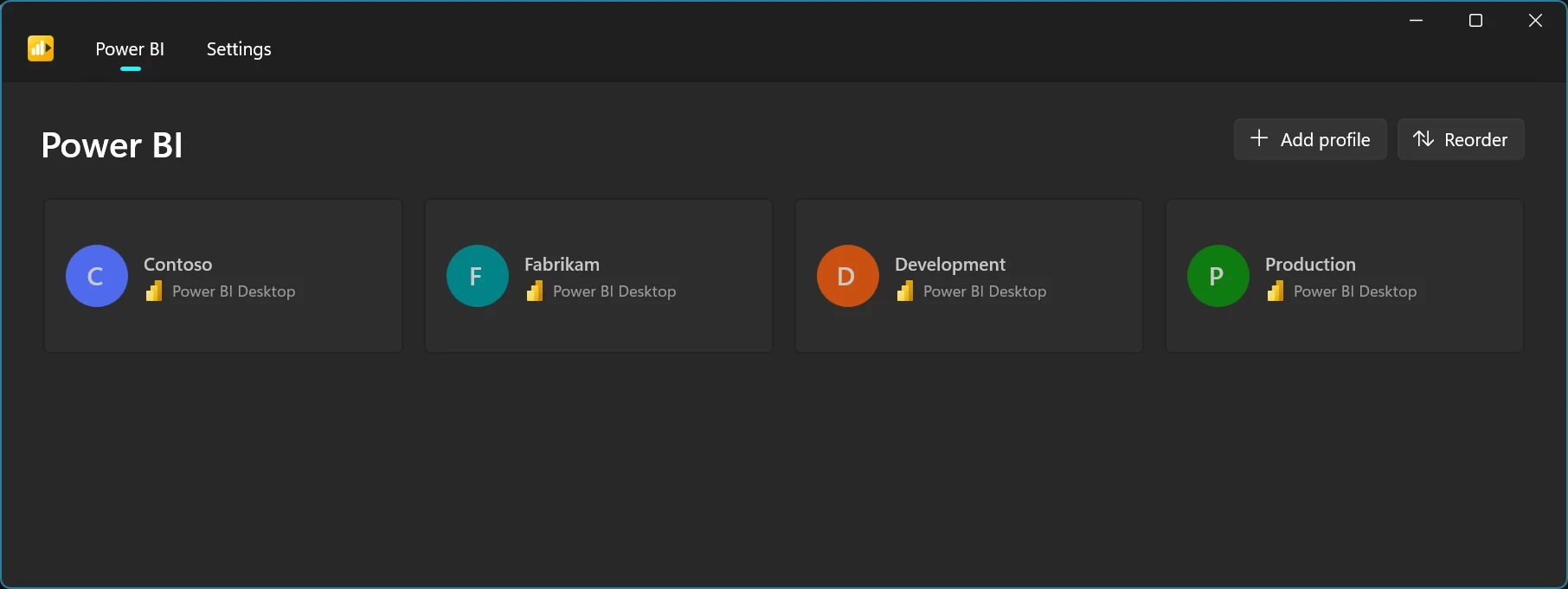
Power BI Launcher is a free, open-source Windows app that runs Power BI Desktop in separate, named profiles. Each profile keeps its own sign-in and cache, so you can switch Power BI accounts with one click instead of signing out and signing in again. We built it for our own work at booldata, used it internally, and have now released it on GitHub under the MIT licence.
Why we built it
Power BI Desktop stores your sign-in and cache in your Windows user profile which is fine if you only ever work for one organisation.
It’s not how our week looks; we move between several clients, and each one gives us a different Power BI account. The routine was always the same: sign out of Power BI Desktop, sign in with the other account, wait for it to settle, open the file, and do it all again when switching back. With several accounts sharing one Windows profile, cached credentials also get in each other’s way. Repeated across a week, that is real time spent on something that adds no value.
So we built a small launcher for ourselves. It ran quietly on our machines for a while as a private tool. It made enough of a difference to our own workflow that keeping it internal felt wrong, and we have now published it for anyone who needs the same thing.
What Power BI Launcher does
The launcher gives every profile its own isolated folders, then starts Power BI Desktop inside that environment. Sign in once per profile and the account stays there. Next time, you pick the profile and Desktop opens already signed in to the right account.
What you get in version 1:
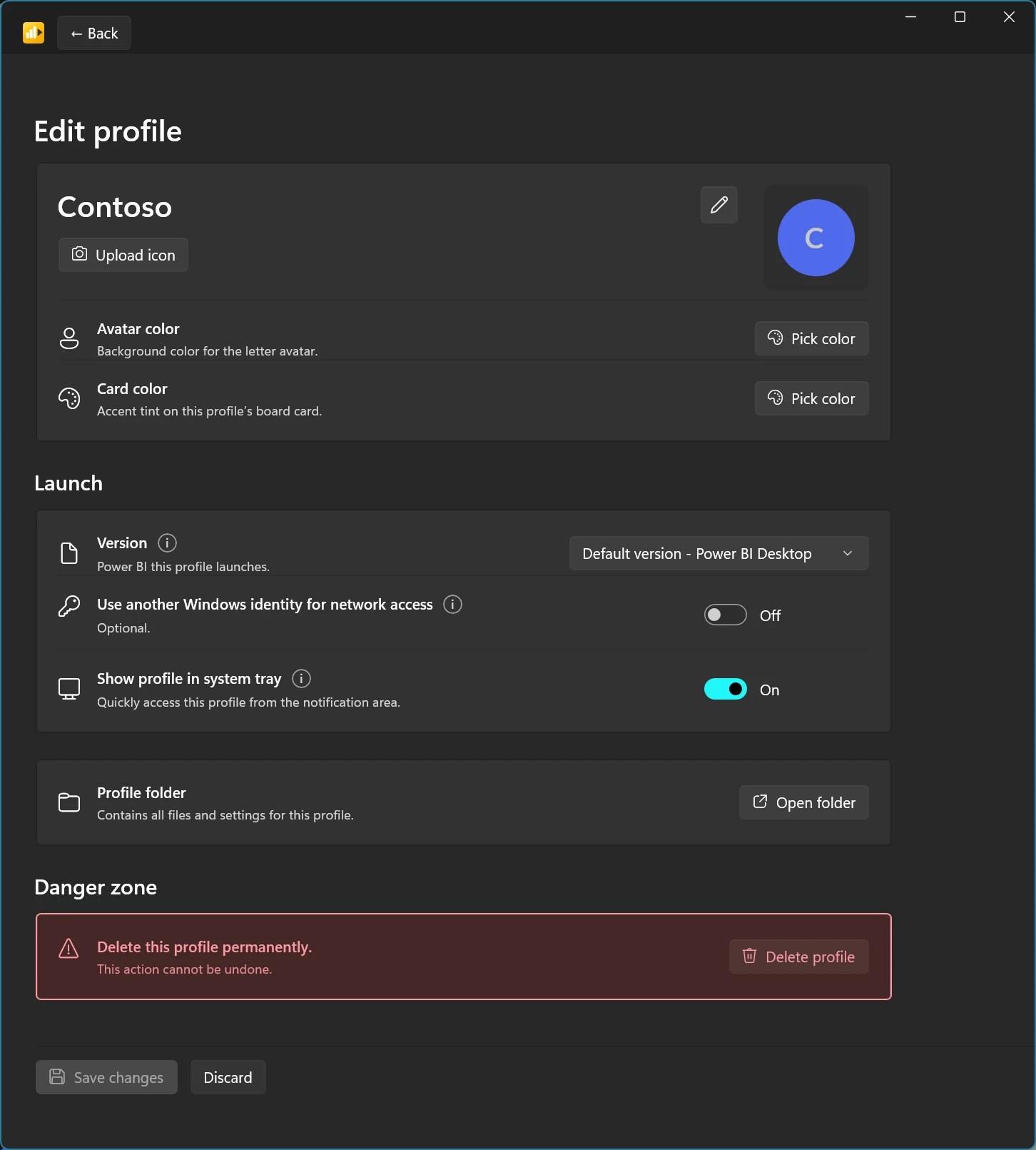
- Profiles. Create, edit and delete profiles, give each one a colour or icon, and drag them into the order you use most.
- A version registry. Register the Power BI Desktop builds you have installed, including Power BI Desktop for Report Server. Pick a default, or pin a specific version to a profile.
- An optional Windows network identity. For Windows-authenticated Report Servers or data sources, a profile can use different Windows credentials. The password stays in Windows Credential Manager.
- The system tray. Launch any profile from the notification area without opening the main window.
There is no telemetry. The only network call the launcher makes on its own is a check against GitHub Releases for updates.
Who it is for
Anyone who works in Power BI with more than one account:
- IT teams that support several organisations or business units, each with its own Microsoft account.
- Microsoft partners working on Power BI for multiple customers.
- Power BI practitioners who keep separate accounts for development and production.
If you have ever kept a note of which browser profile belongs to which client, this is the same idea for Power BI Desktop.
Getting started
- Download the latest portable zip from GitHub Releases.
- Unzip it to a folder you can write to, for example
%LOCALAPPDATA%\Programs\Power BI Launcher. No installer and no admin rights are needed. - Run
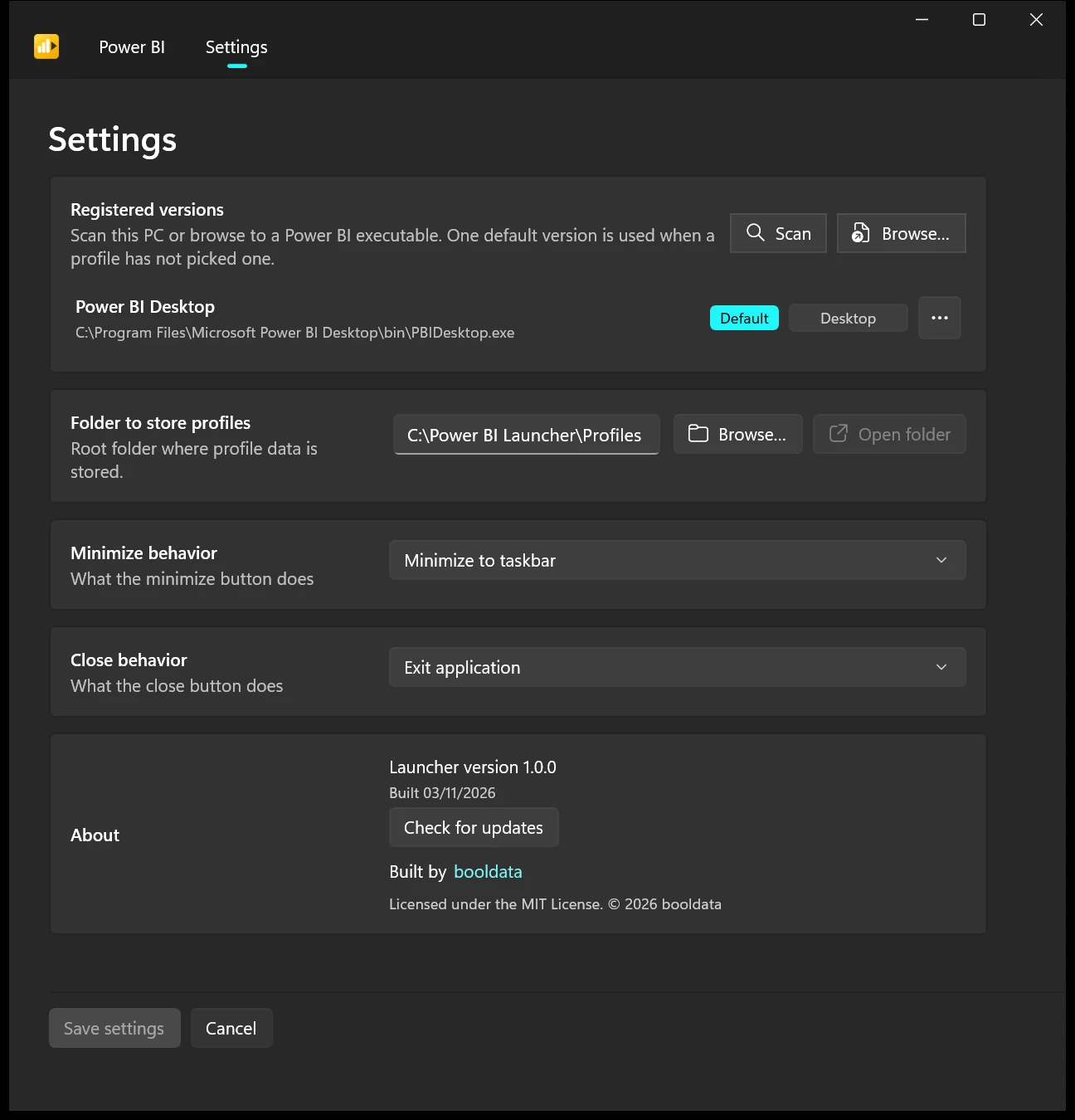
Power BI Launcher.exe, scan for your Power BI Desktop installs and pick a default version. - Add a profile, launch it and sign in once. That account now lives in that profile.
The full walkthrough is in the usage guide.
A few things to know up front. It runs on Windows 10 or later and works with the downloaded Power BI Desktop installer and the Report Server edition, not the Microsoft Store version. The build is not code-signed yet, so Windows may show an “Unknown publisher” warning; a checksum is published with each release if you want to verify the download. A profile isolates an account’s sign-in, but it does not yet remember which tenant that account was last connected to, so if one account reaches several tenants you still choose the tenant as you do today. Power BI Launcher is a booldata project and is not affiliated with Microsoft.
Open source, and open to your ideas
The code is on GitHub under the MIT licence: use it, fork it, adapt it to how your team works. If something breaks or you have an idea for the next version, open an issue (please leave out passwords and client or tenant details). And if it saves you a few sign-ins this week, a star on the repository helps other Power BI users find it.
We build tools like this because we spend our days inside Power BI alongside our clients’ teams, and small frictions add up. If you would like that kind of hands-on help with your own reports and models, have a look at our BI & Analytics work.